
Before an invitation: your Express Entry profile
Check it before any Invitation to Apply (ITA), and again after every update.
Generate My Free Profile ReportA free report built straight from your IRCC account: your answers in one Word document, your history on a timeline, and potential gaps and mismatched dates pointed out, with nothing to type.
Free · Google Chrome on a computer · From a licensed Canadian immigration firm
Ramin Asadi, Regulated Canadian Immigration Consultant (RCIC), CICC licence R407111, ITC iLand Immigration Inc. Verify on the College’s public register: register.college-ic.ca
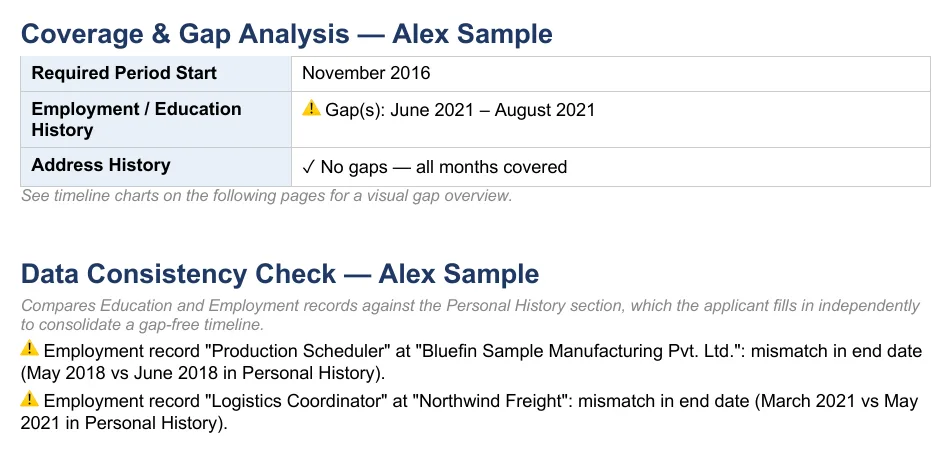
IRCC’s online services spread your answers across many screens and forms. The report brings them together, so you can read everything at once instead of clicking page by page.
Dates that don’t line up, a gap in your history or an answer that differs between two forms is easy to miss on screen. Laid out side by side, it is easier to find and correct while you still can.
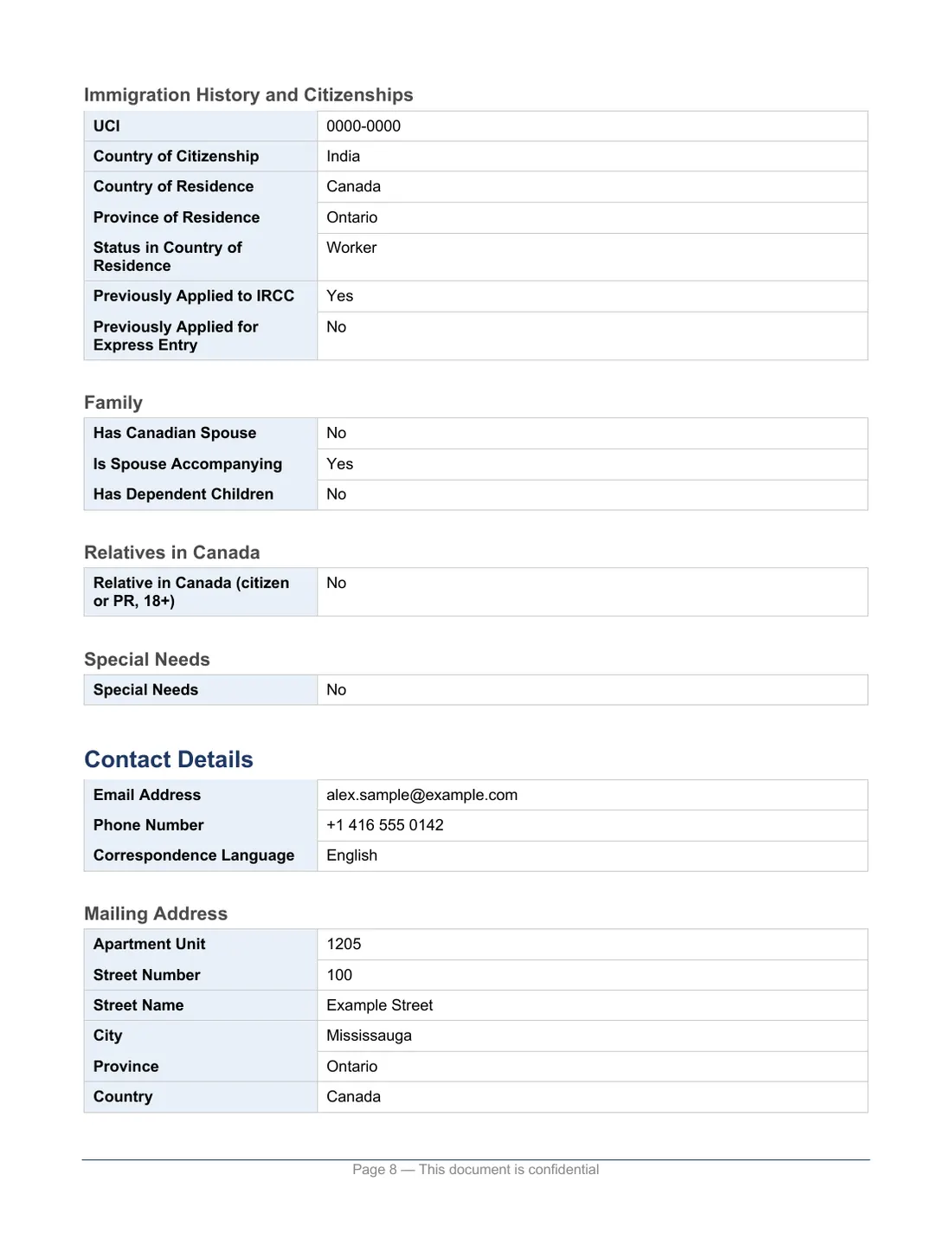
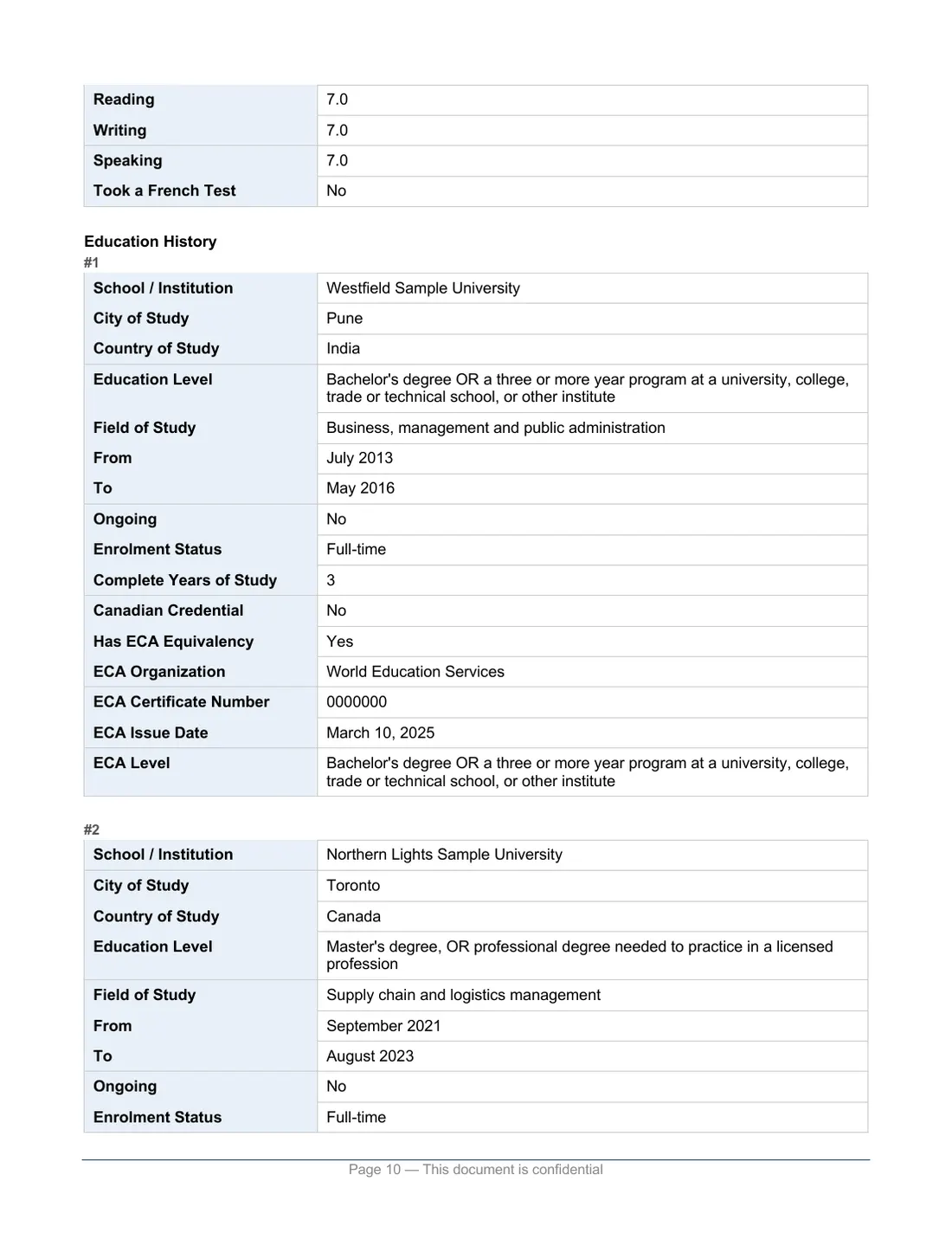
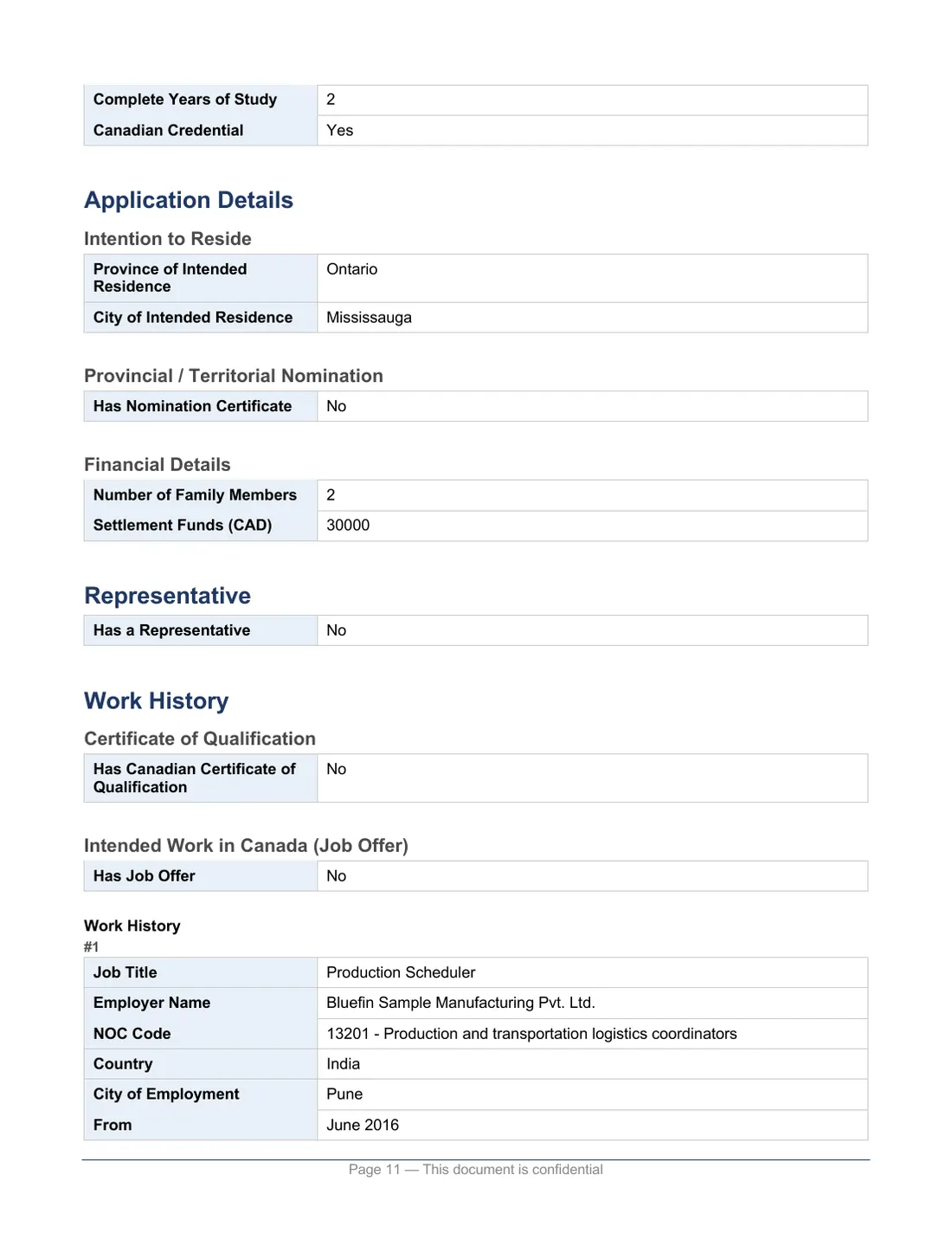
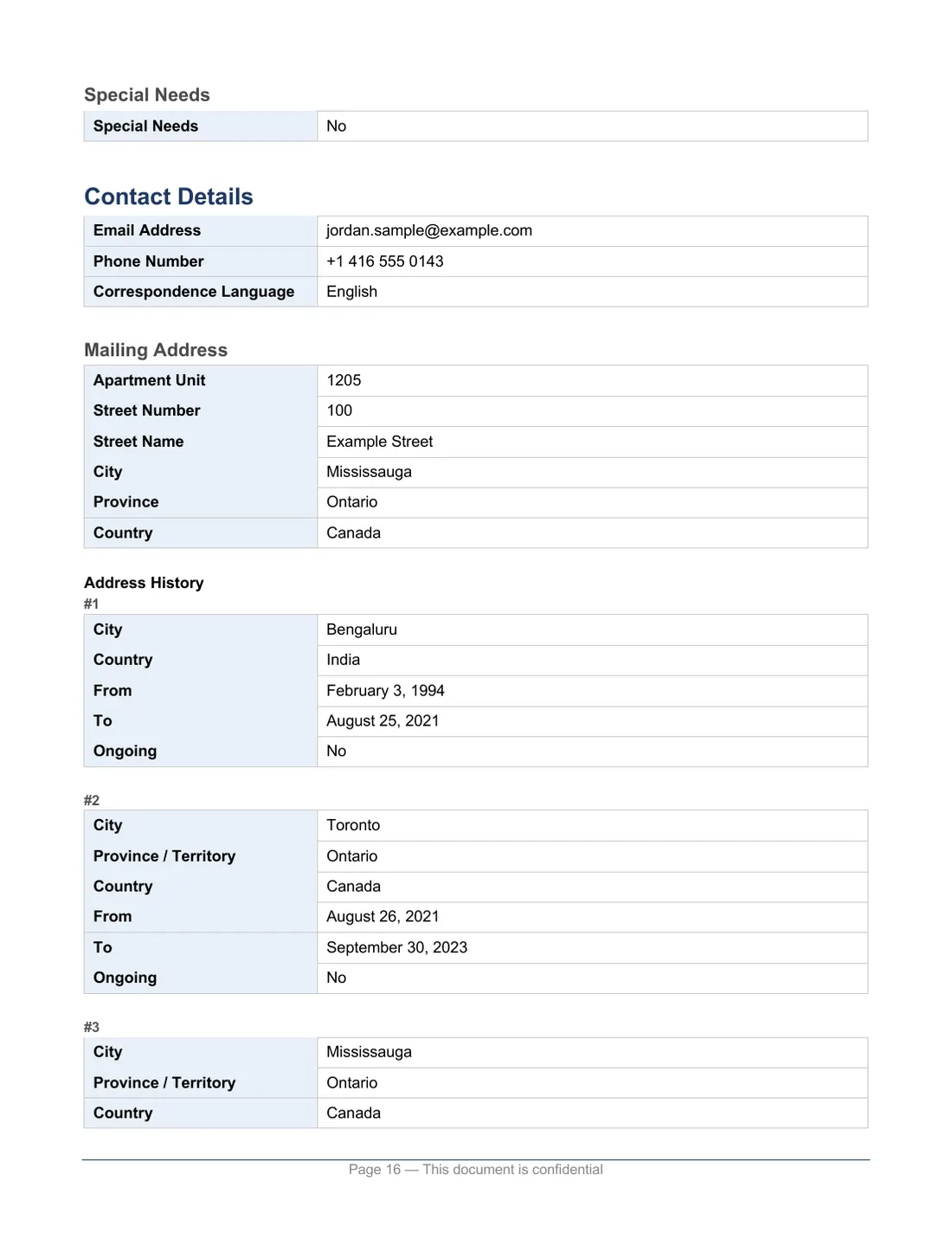
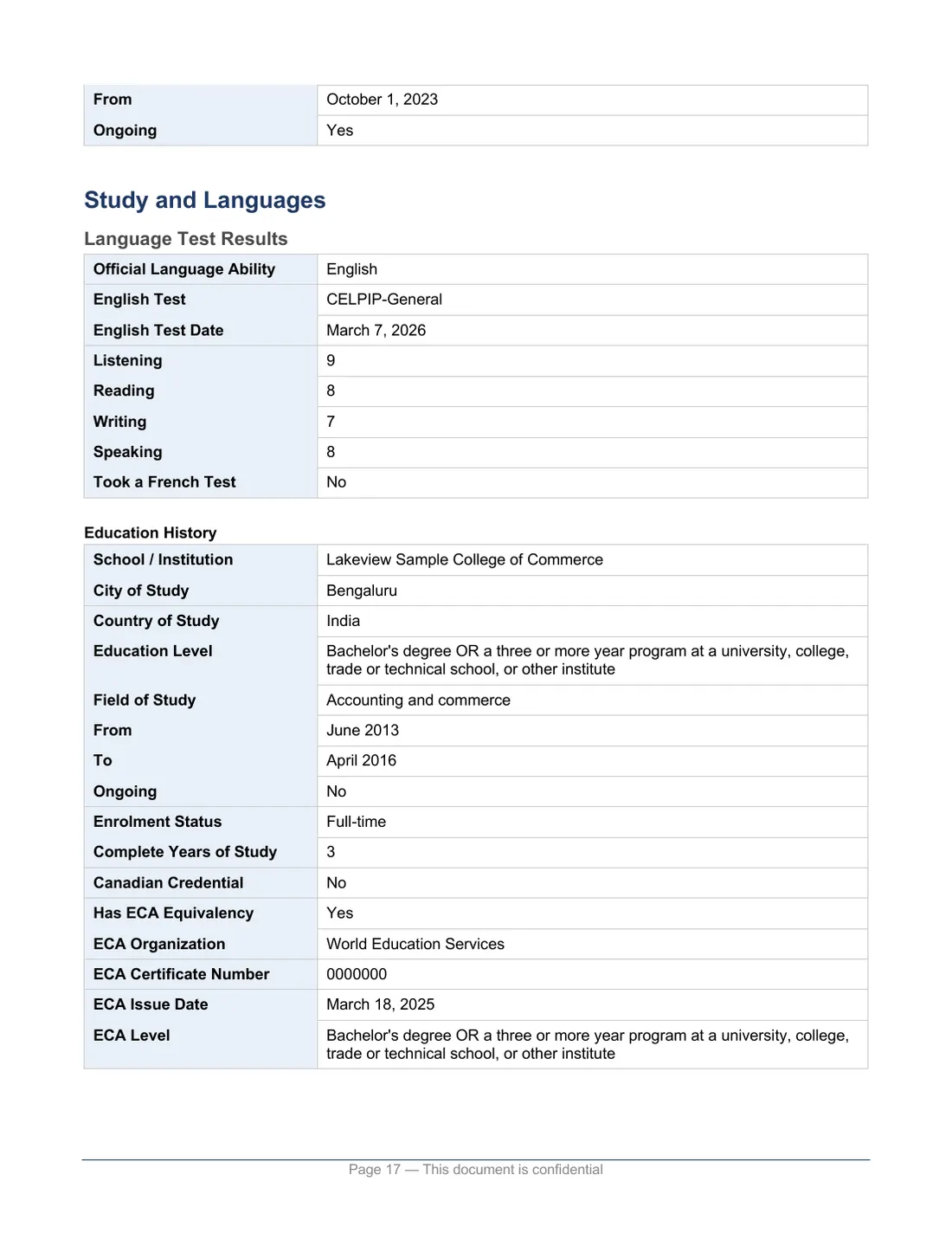
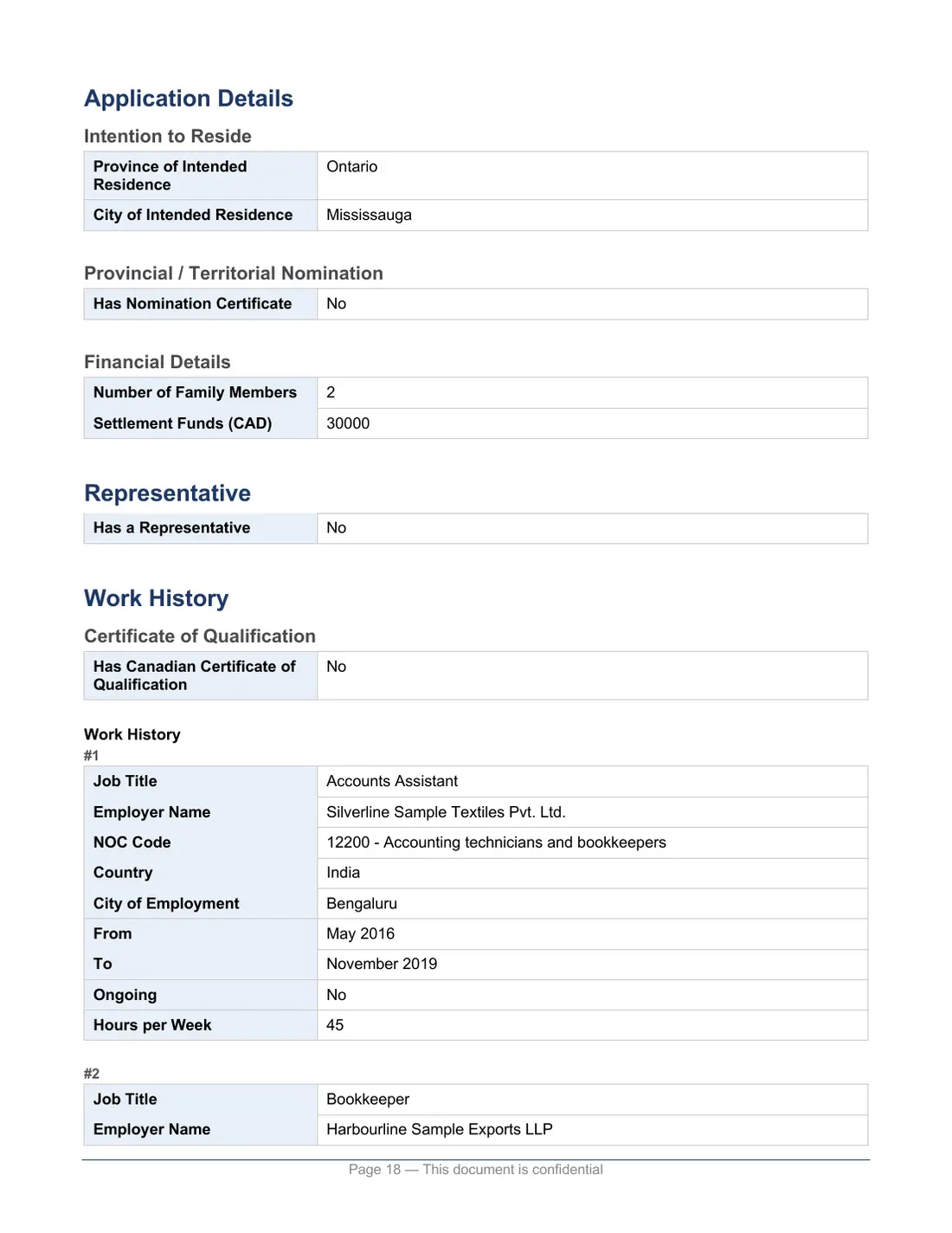
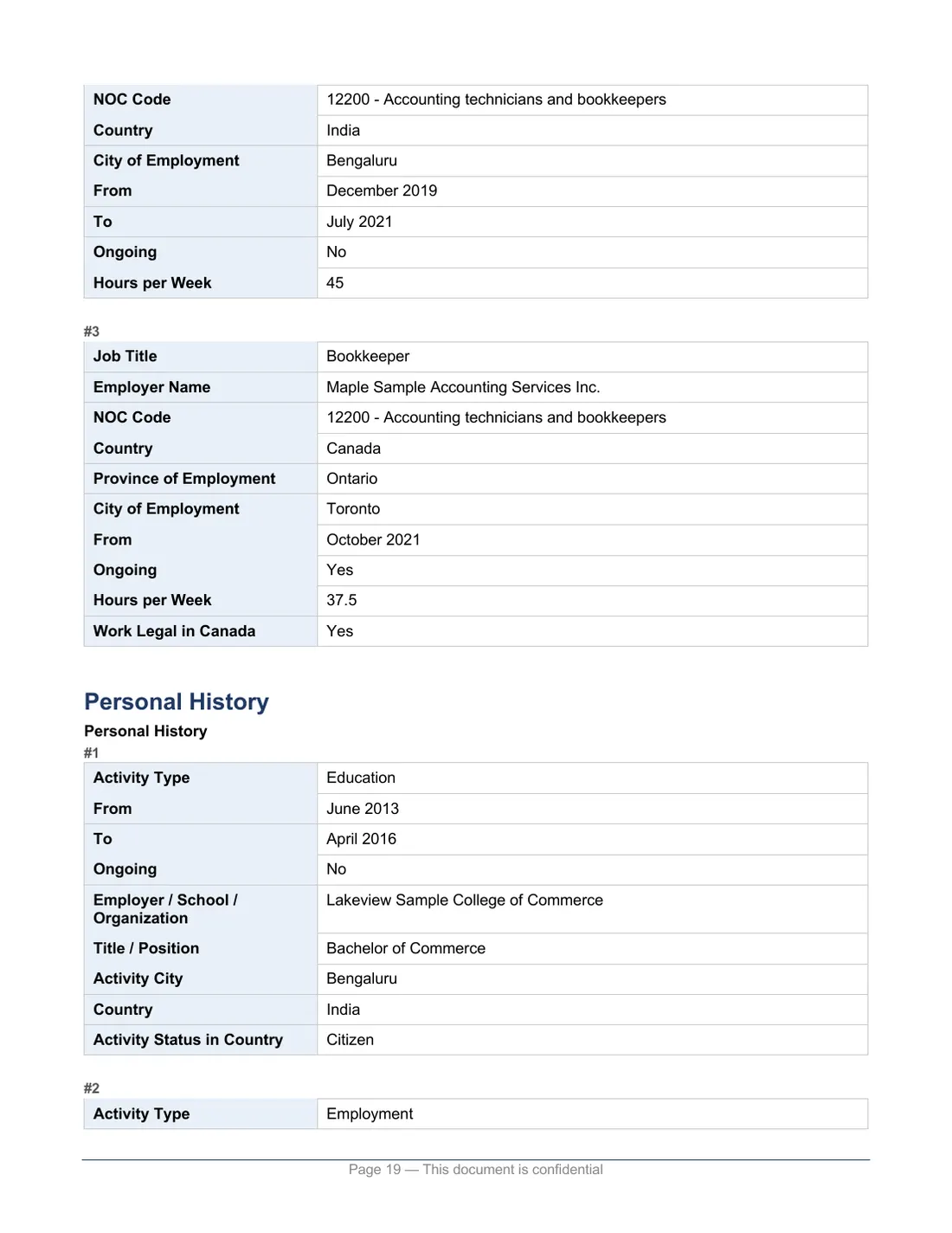
Personal details, language results, education and work history in one place.
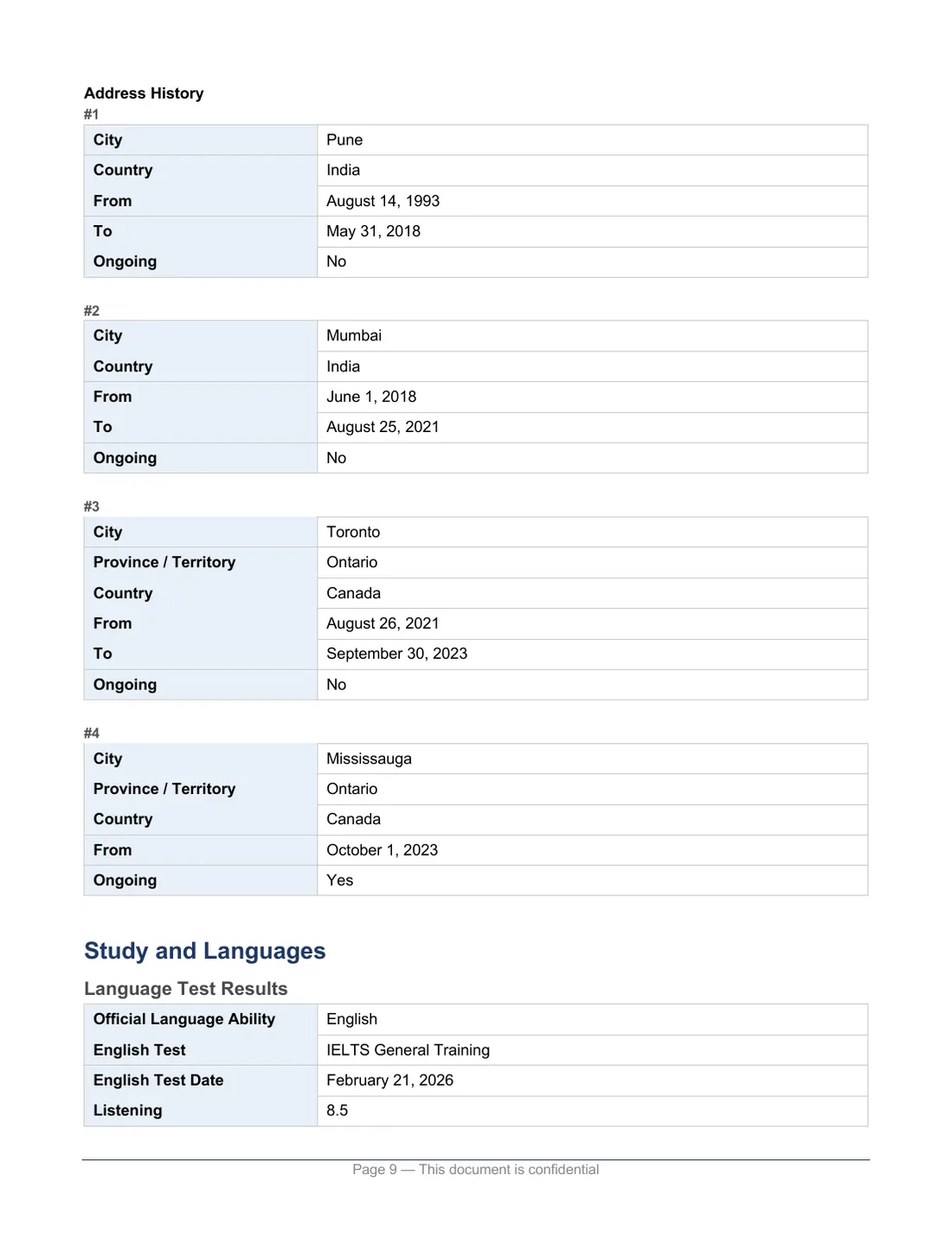
Your work, study and address history on one timeline.
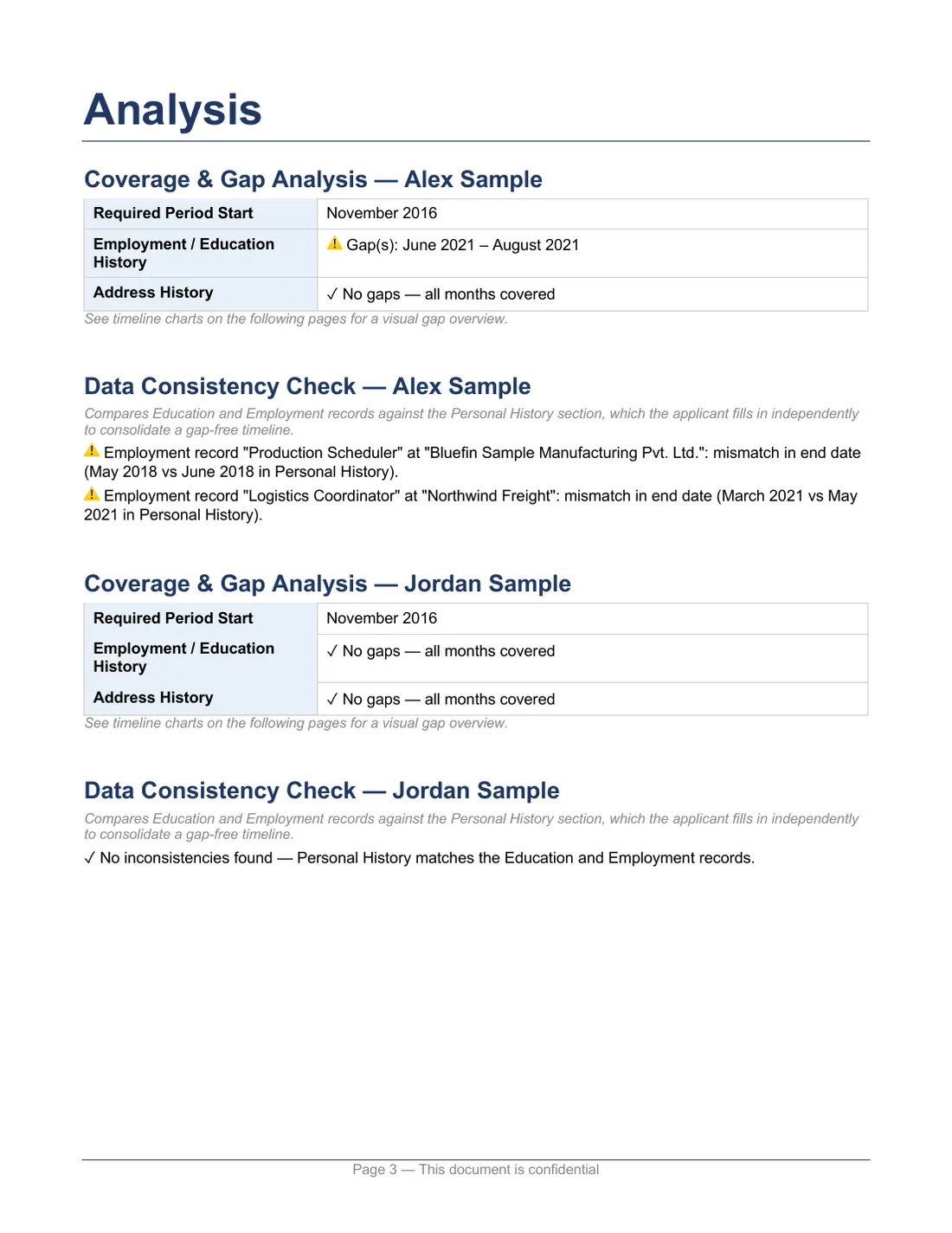
Shows months your history doesn’t cover, and where your work and study records differ from your personal history.
If your application includes an accompanying spouse or common-law partner, the report covers them too.
Share the Word file with your spouse, a family member or your representative, so they can go through your answers without signing in to your IRCC account.
Reports are in English. They organize what your application says; they do not check your documents, confirm your eligibility or guarantee that your application is complete.
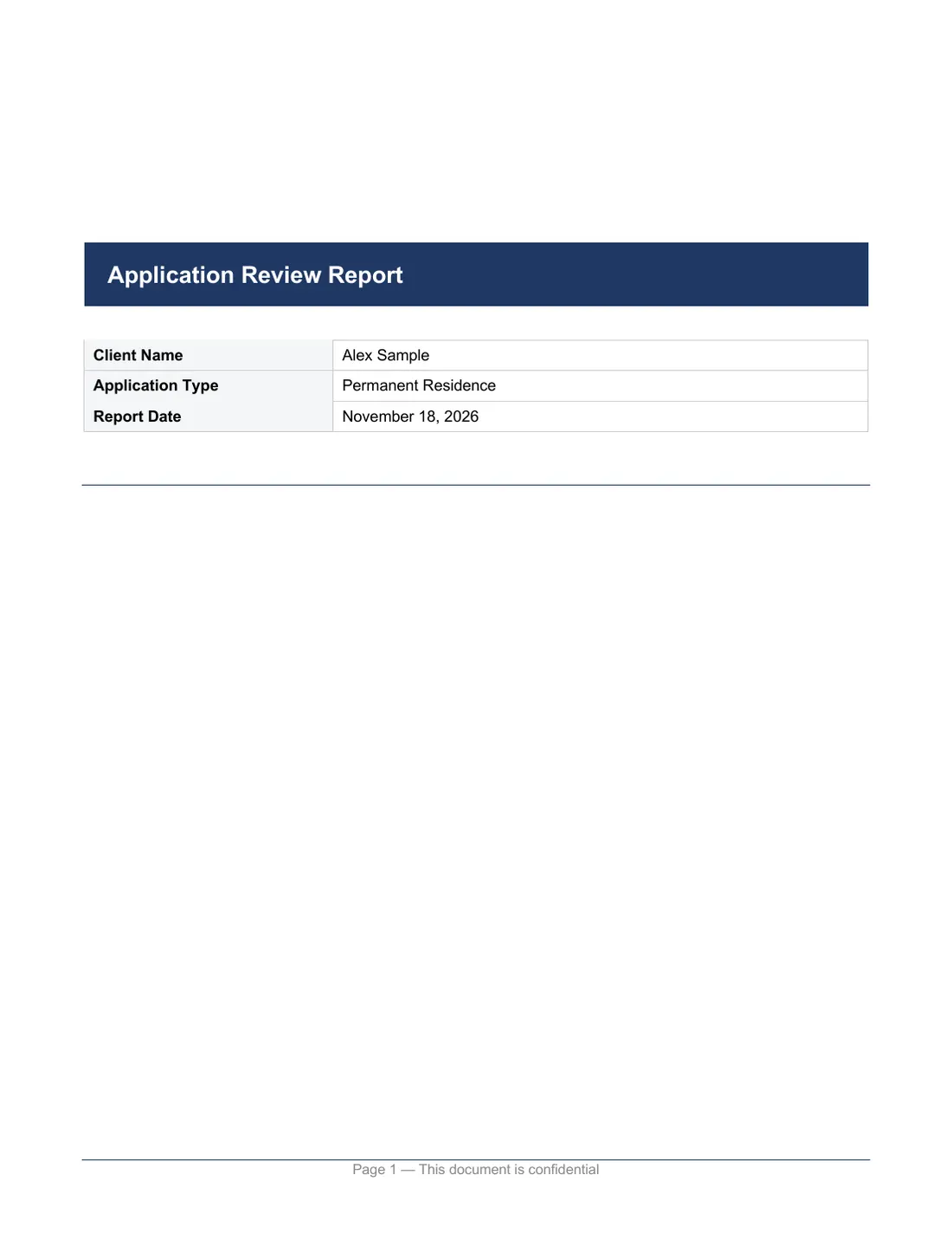
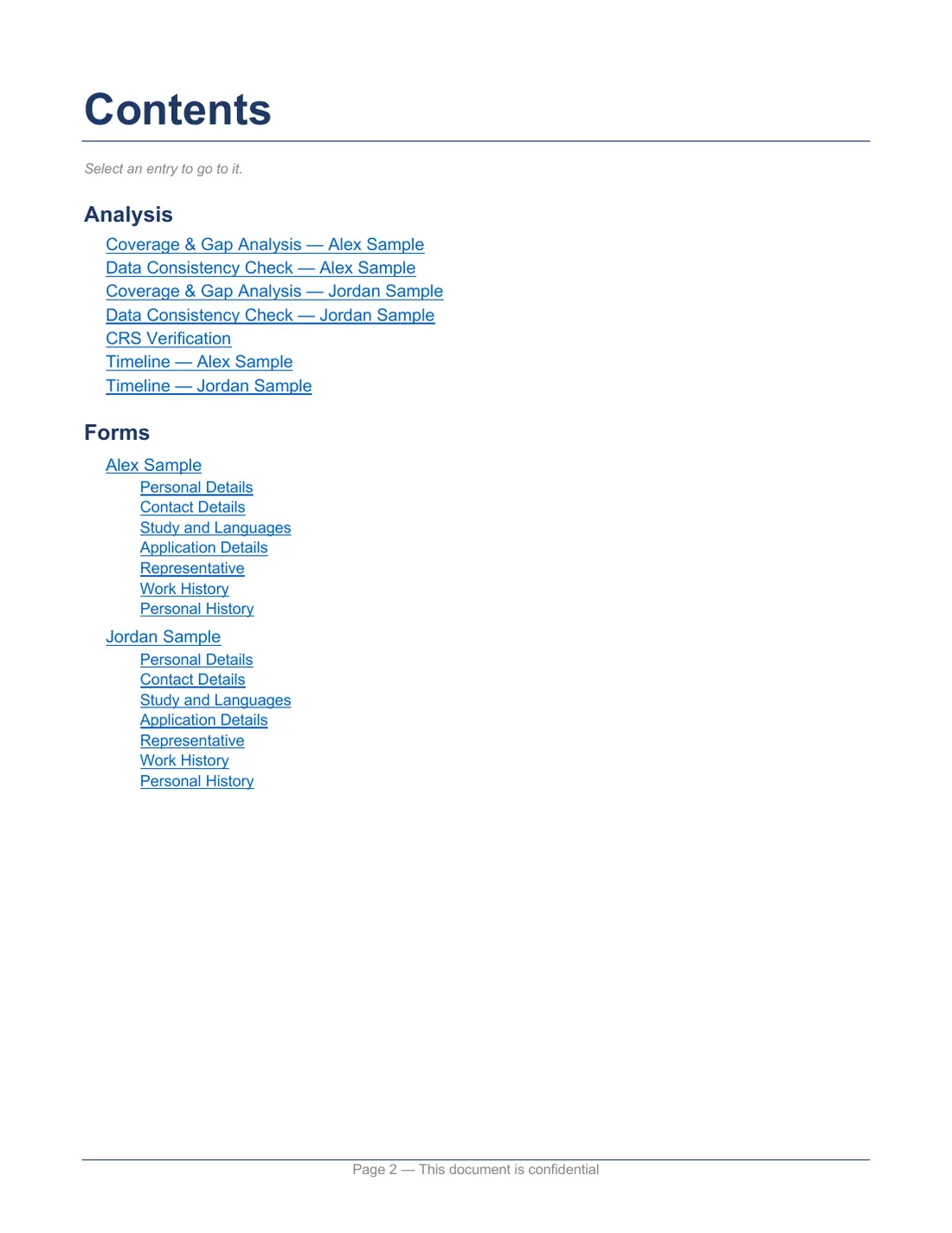
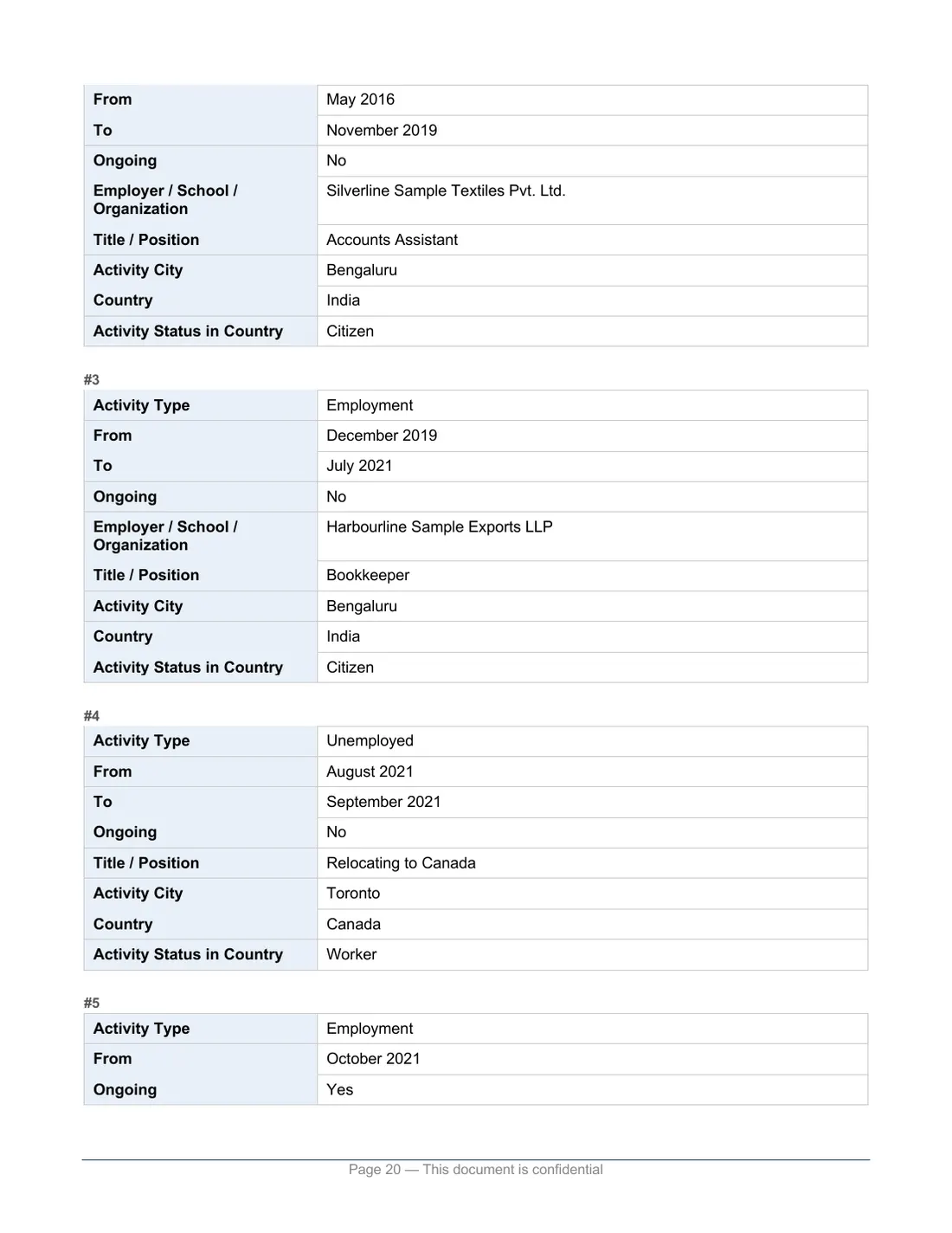
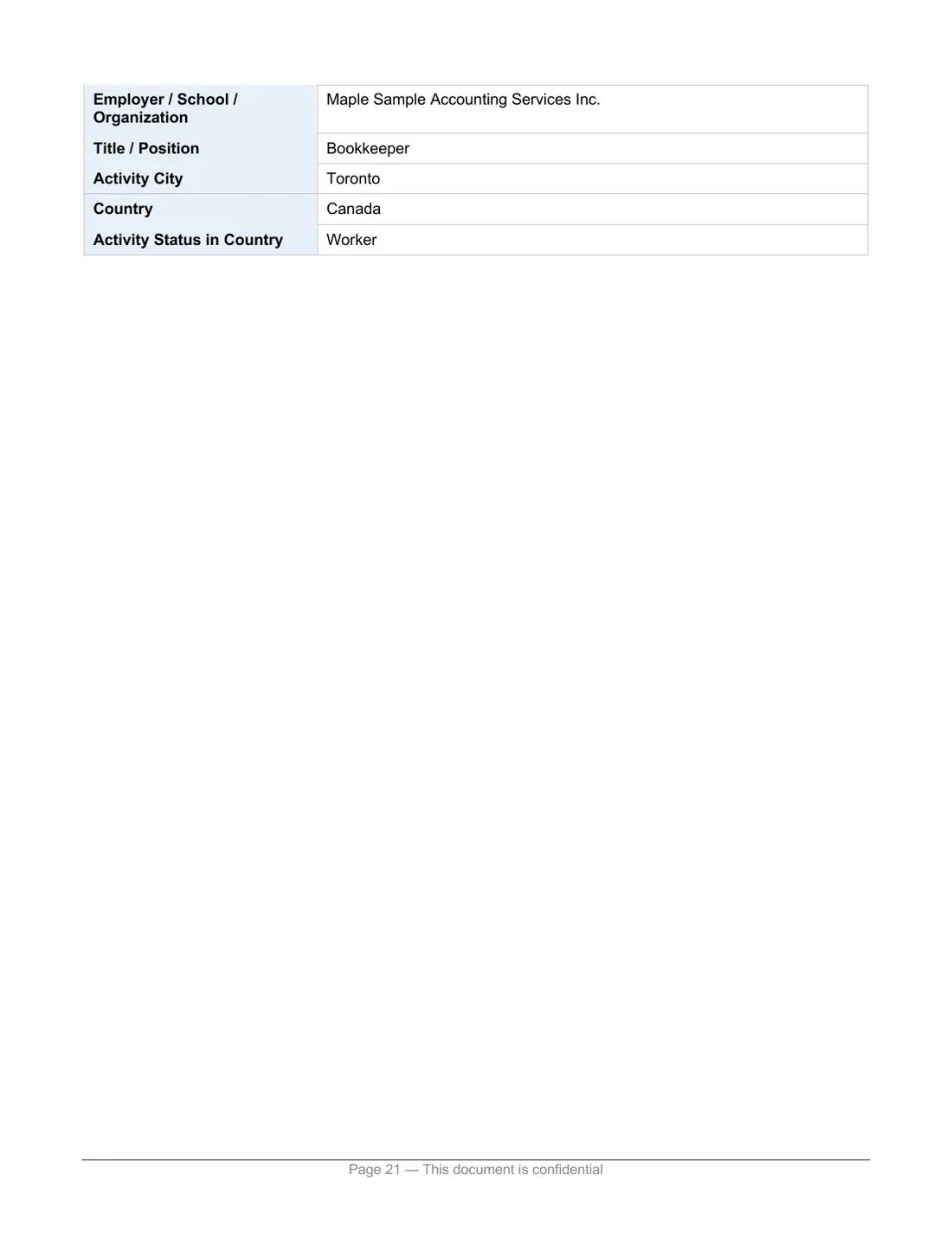
Every page of a report the tool built for an invented applicant and spouse, exactly as it downloads. Scroll through it here, or download it.
The applicant, the spouse, the employers and every other detail are invented.
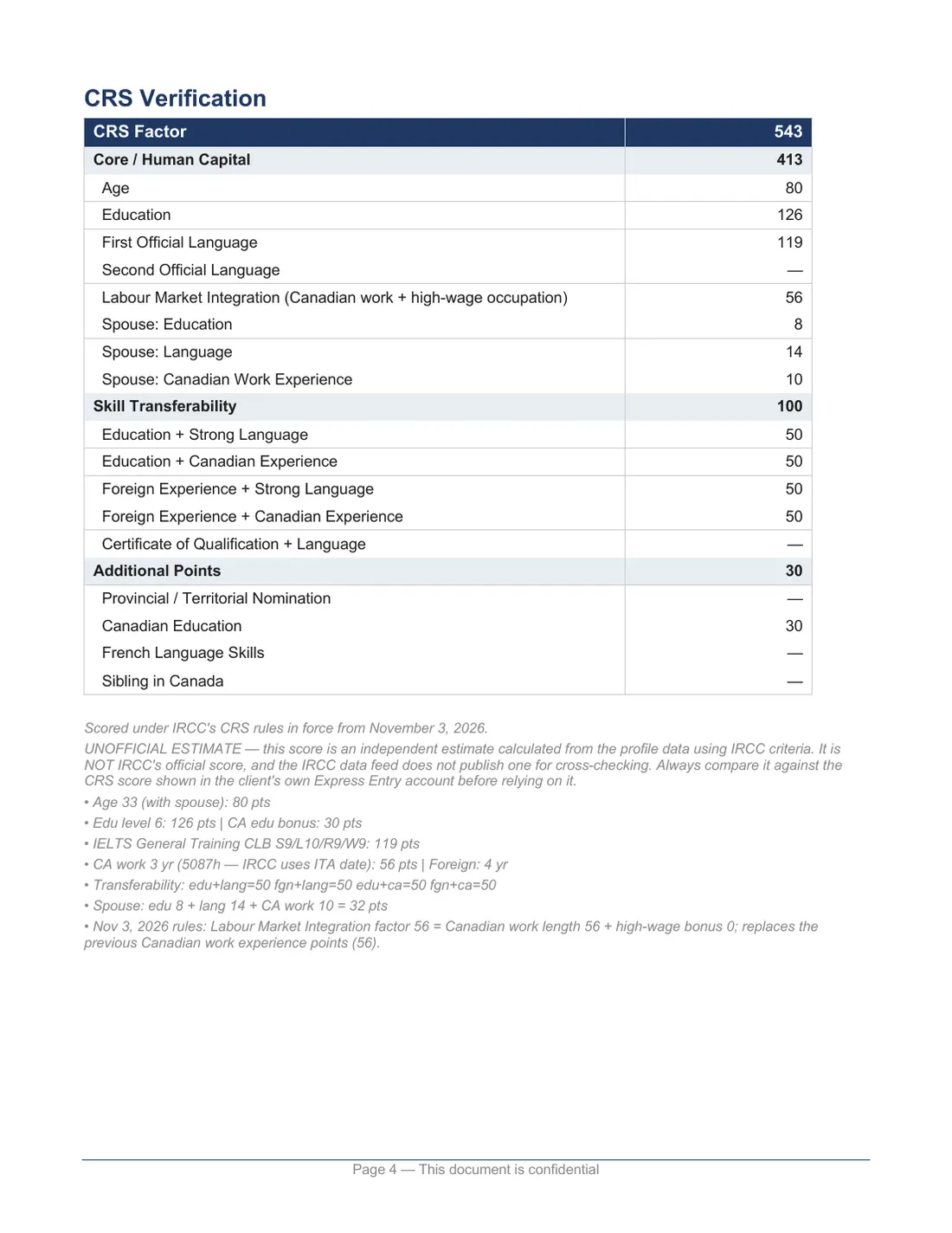
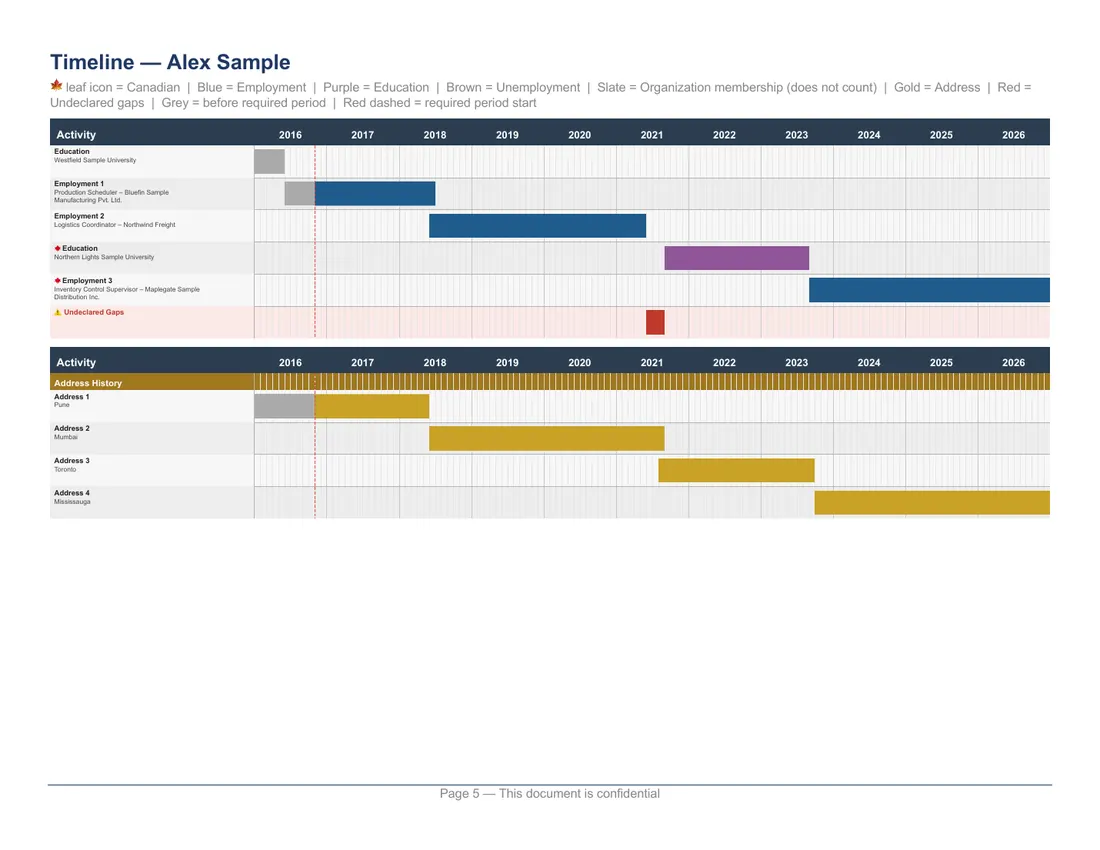
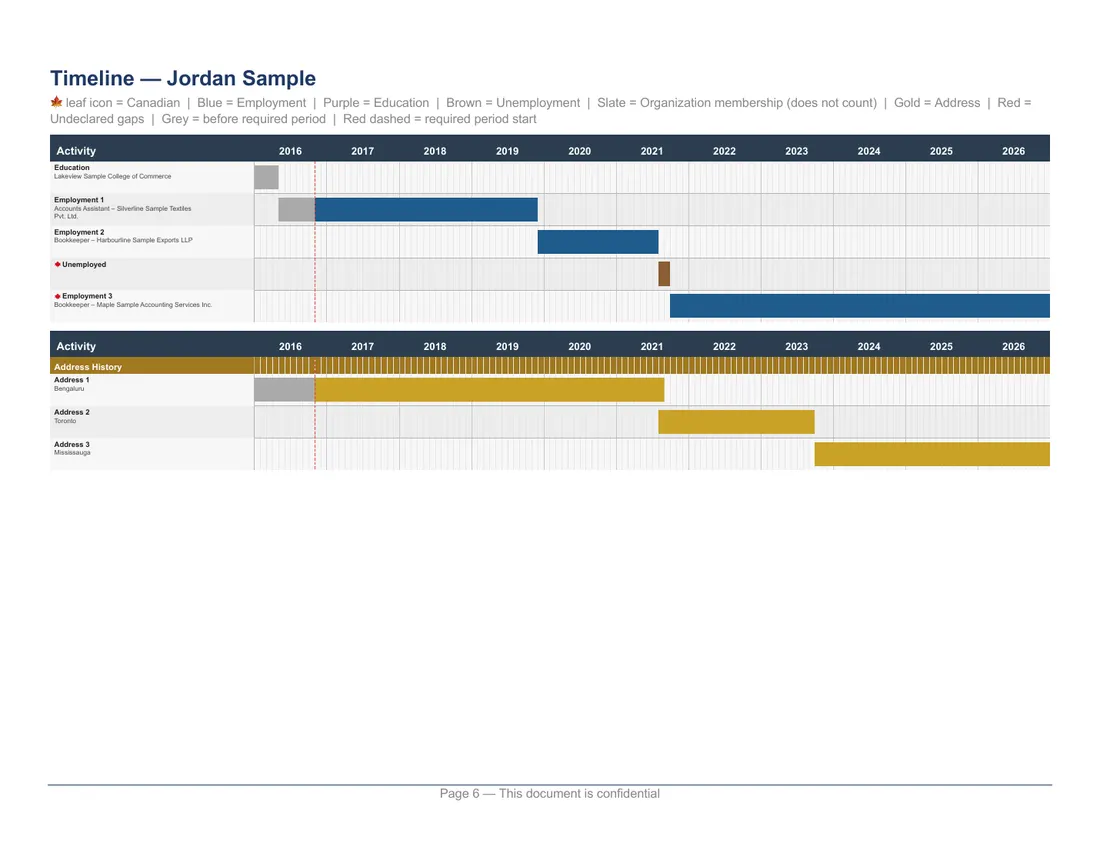
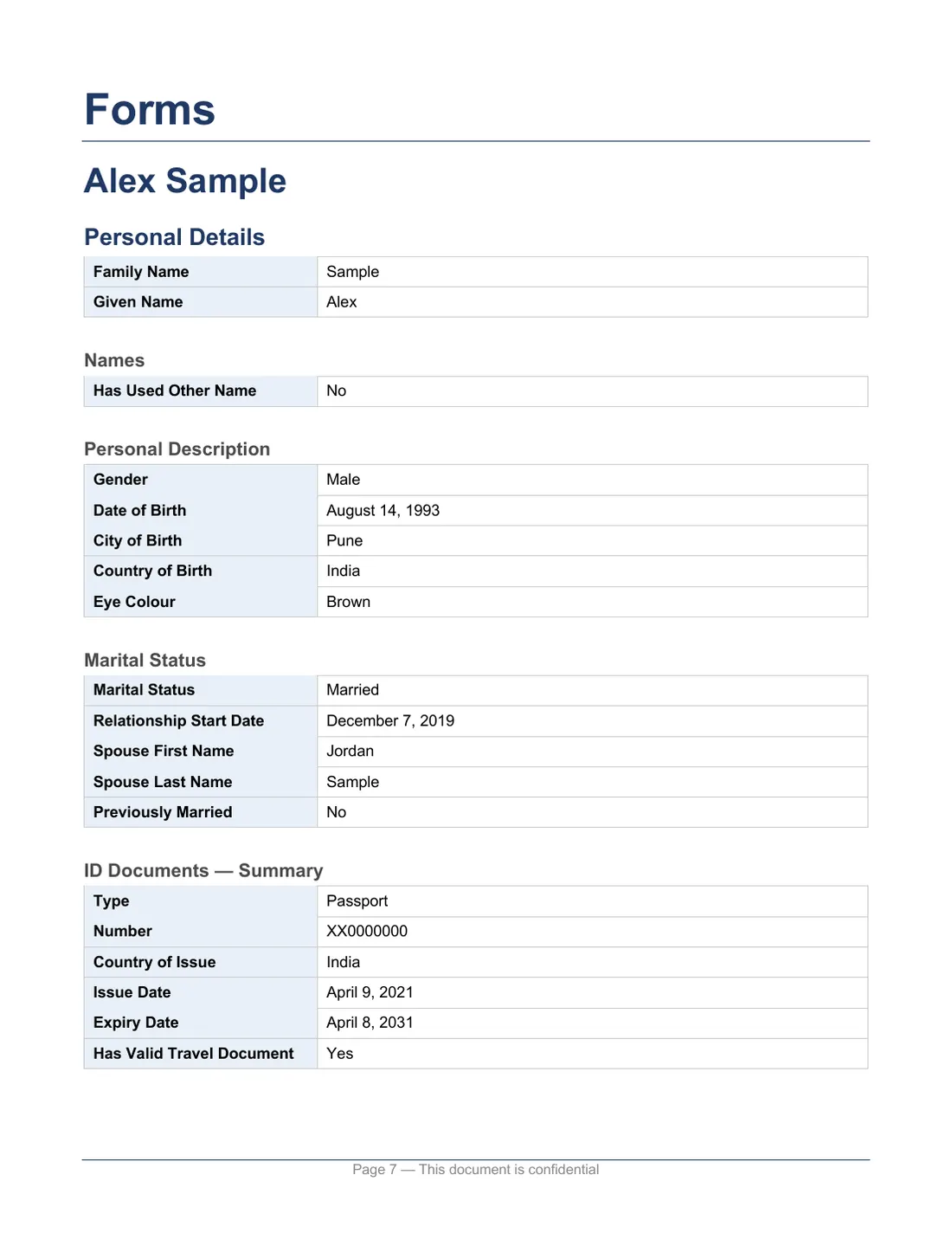
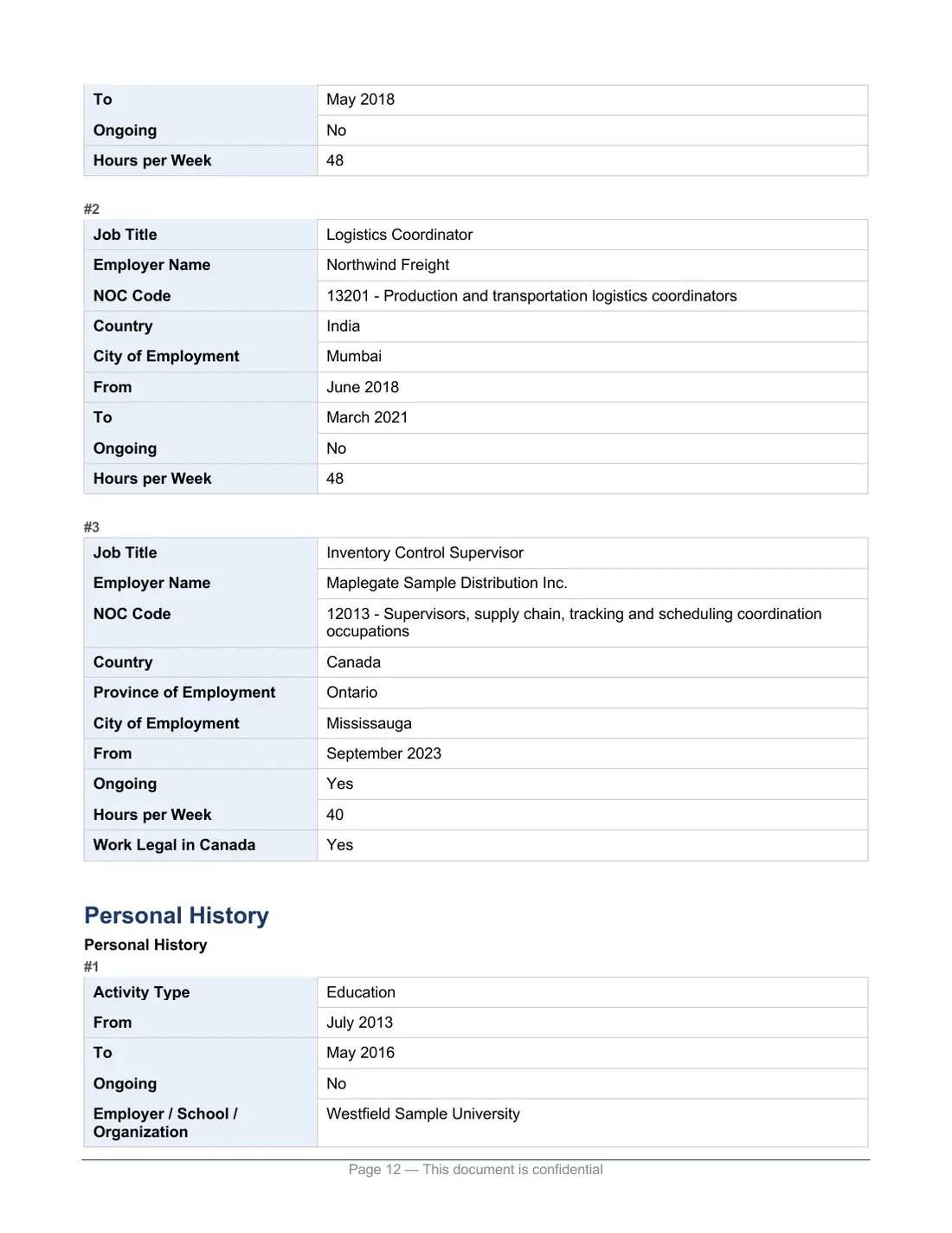
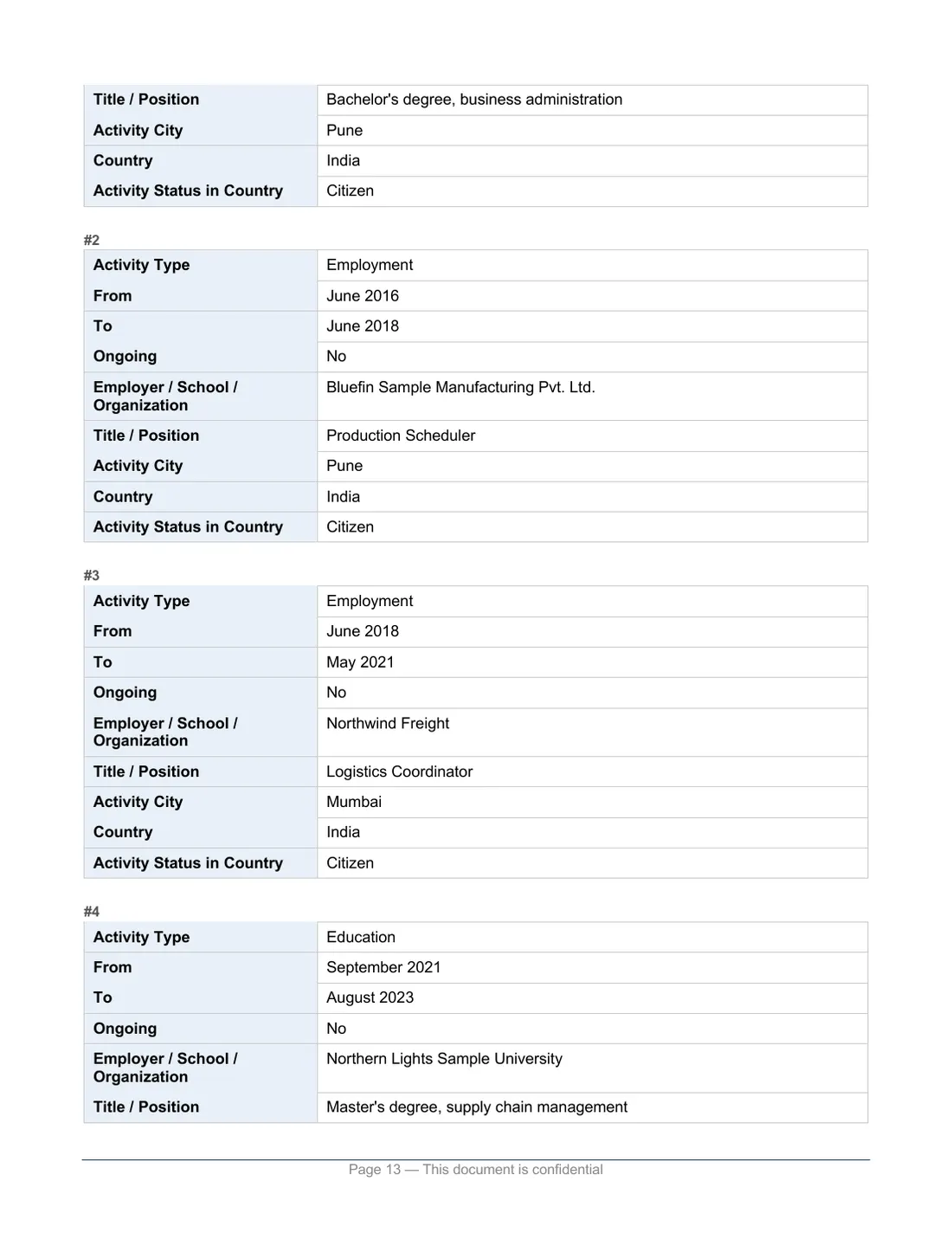
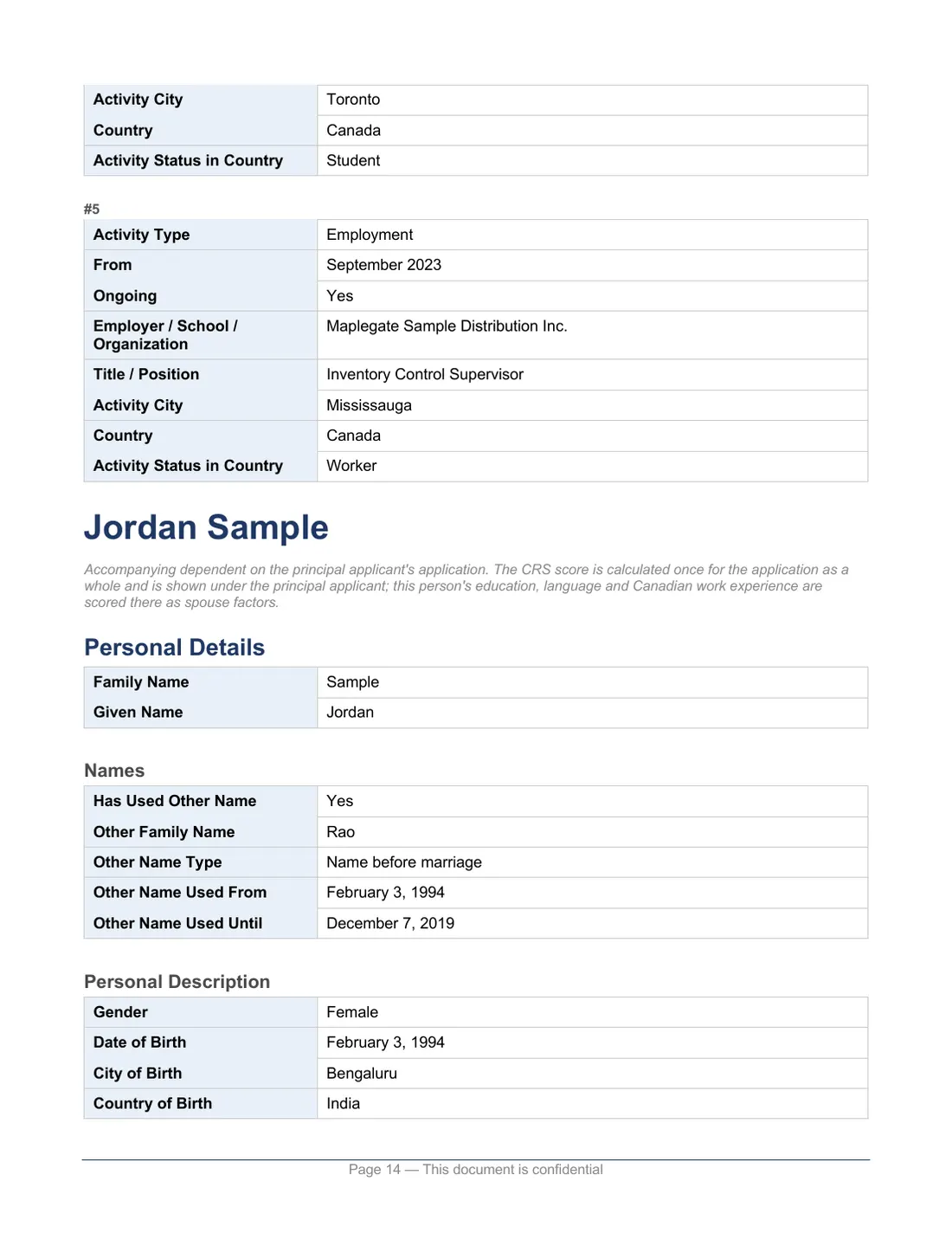
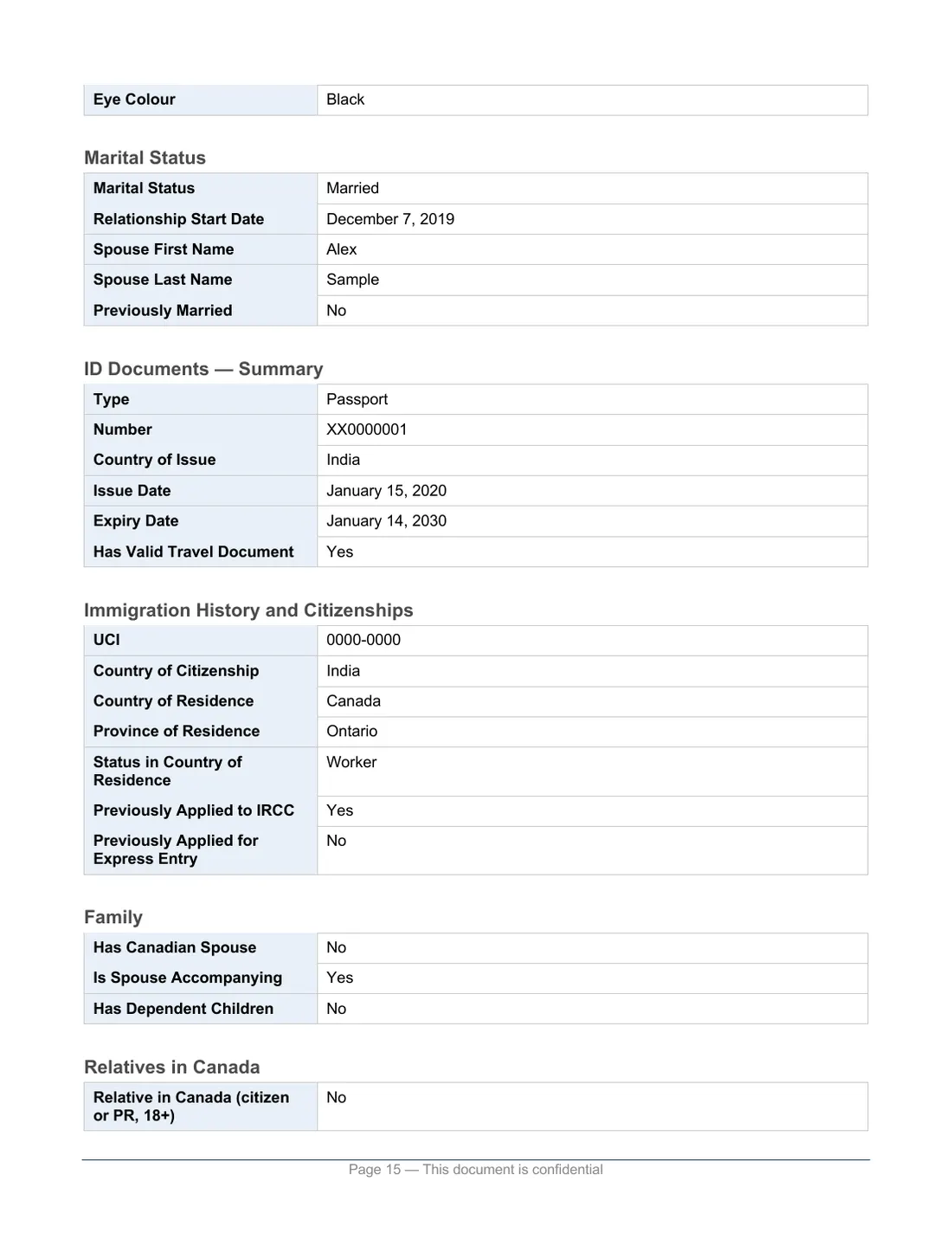
Check it before any Invitation to Apply (ITA), and again after every update.
Generate My Free Profile ReportReview your application before you take the final step. The report adds your address history and shows where your work and study records differ from your personal history.
Generate My Free Application ReportDraft a free cover letter for your Express Entry PR application from your IRCC information, then edit or revise it. RCIC help is optional and paid. Draft my cover letter
Representative reviewing a client’s file? Open the representative version
“ITC — Application Reports”, installed once from the Chrome Web Store.
How the reports work: setup guideSign in to your IRCC account in Chrome and open your Express Entry profile or your permanent residence application checklist.
One click. The extension reads every section in the background and the Word report downloads.
The extension reads your open IRCC session and builds the report on your device. We receive your information only if you choose a service that needs it, such as emailing a copy, asking for a consultant’s review or drafting the free cover letter.
Exactly what each one sendsFrom $349 CAD
The report shows what is in your profile. For a professional opinion, order a Profile Review: a Regulated Canadian Immigration Consultant (RCIC) checks your CRS score, NOC code and missing points, and you get a written report plus one consultation.
Request an RCIC reviewFrom $499 CAD
Your report organizes your application and highlights potential gaps. For a professional review, order an Application Review: a Regulated Canadian Immigration Consultant reviews your forms, supporting documents and CRS accuracy, and you get a written report plus one consultation.
Request a professional reviewYes. Making and downloading a report costs nothing. Each report uses free credits from a monthly allowance: a few without an account, more once you sign in. An RCIC’s review is a separate, paid service, and its price is shown before you pay.
No. It organizes the information it reads and points out potential gaps and mismatches. It does not check your documents, confirm your eligibility or guarantee that your application is complete, and it does not replace a professional review.
Not to make a report. A free account gives you more monthly credits, and you need one to email a copy, ask for a consultant’s review or draft the free cover letter.
Not by default. The extension reads your data from your open IRCC session, and the Word report is built in your browser. Data is sent to us only if you click “Email a copy” or “Get a consultant’s review”, which send the report to carry out that request, or “Draft my letter (free)” and “Revise with AI (free)”, which send your name and the activity, work, education and address history from your report (and, while the box is ticked, the title and one-line description of each document you analysed in the Packager, never the files), plus anything you type as instructions, to our AI processing partner (Anthropic) to write and check the letter. We do not store the letter: it comes back to your browser and stays there.
No. It only reads pages. It never clicks, saves, changes or submits anything in IRCC, and it never signs in for you.
No. Chrome on phones and tablets does not support extensions, so the reports need a Windows or Mac computer, or a Chromebook.
No. The reports and the extension are made by ITC iLand Immigration Inc. We are not affiliated with IRCC or the Government of Canada. The extension only reads what IRCC already shows you in your own account.
PR Portal report
Permanent residence applications in IRCC’s Permanent Residence Portal.
Open the PR Portal reportTemporary residence report
Study permits, work permits (including PGWP and spousal open work permits), visitor visas and visitor records.
Open the TR report